Please follow below steps to import quickly.
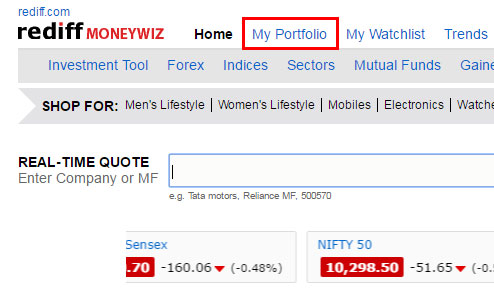 Step 1.
Go to homepage of Rediff Moneywiz and click on My Portfolio.
Step 1.
Go to homepage of Rediff Moneywiz and click on My Portfolio.
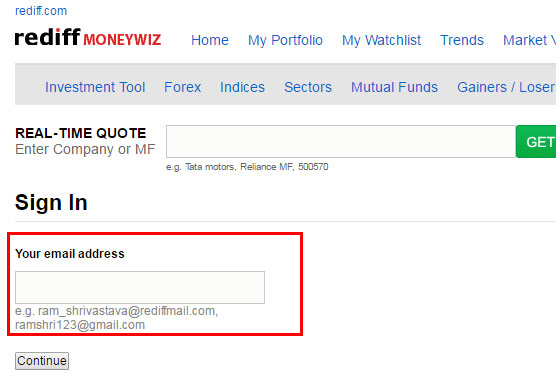 Step 2.
Login to portfolio for existing users or it will redirect user to Sign up for Rediff.com page.
Step 2.
Login to portfolio for existing users or it will redirect user to Sign up for Rediff.com page. Step 3.
Two ways to import portfolio file:
Select an existing portfolio: You can import the excel sheet or csv to your existing portfolio
-OR-
Create a new portfolio: Create a new, separate portfolio to import the file.
Step 3.
Two ways to import portfolio file:
Select an existing portfolio: You can import the excel sheet or csv to your existing portfolio
-OR-
Create a new portfolio: Create a new, separate portfolio to import the file.
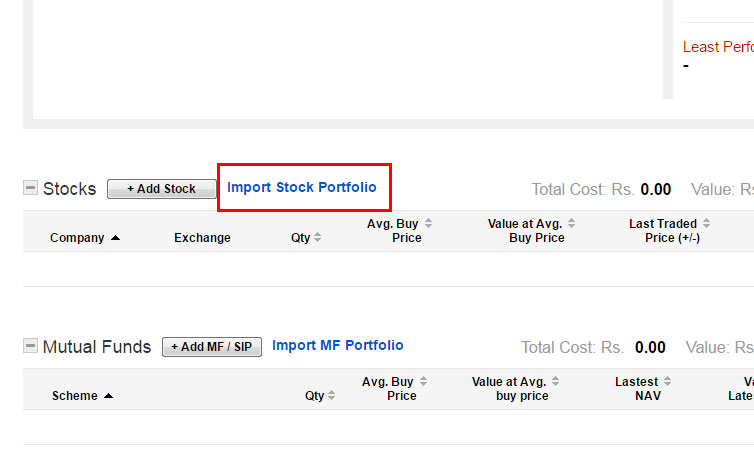 Step 4.
(i) Click on Import Stock Portfolio to upload stock (Equity) data.
(ii) Select file to import data.
(iii) Submit Import button.
Step 4.
(i) Click on Import Stock Portfolio to upload stock (Equity) data.
(ii) Select file to import data.
(iii) Submit Import button.
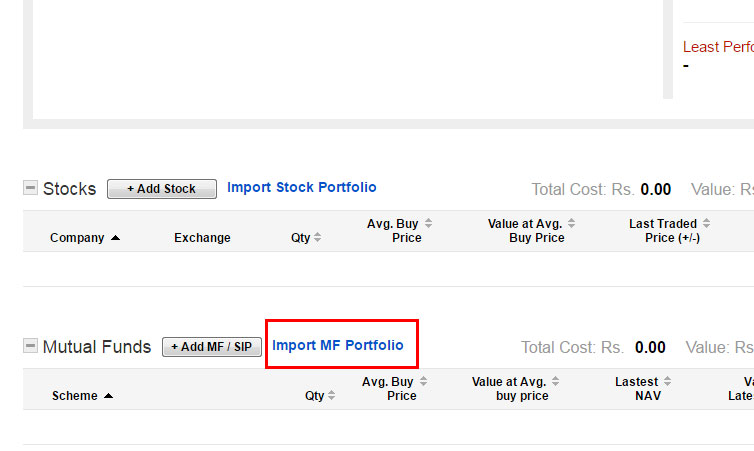 Step 5.
(i) Click on Import MF Portfolio to upload Mutualfund data.
(ii) Select file to import data.
(iii) Submit Import button.
Step 5.
(i) Click on Import MF Portfolio to upload Mutualfund data.
(ii) Select file to import data.
(iii) Submit Import button.
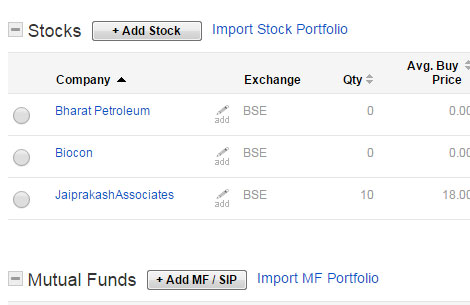 On successful import, you can view the imported stocks/mf listing on portfolio. If data is incorrect in listing, you can edit transaction history using radio button on left side of every stock/mf listing.
 © 2025 Rediff.com India Limited. All rights reserved. Disclaimer - Terms of Service - Privacy Policy - Feedback